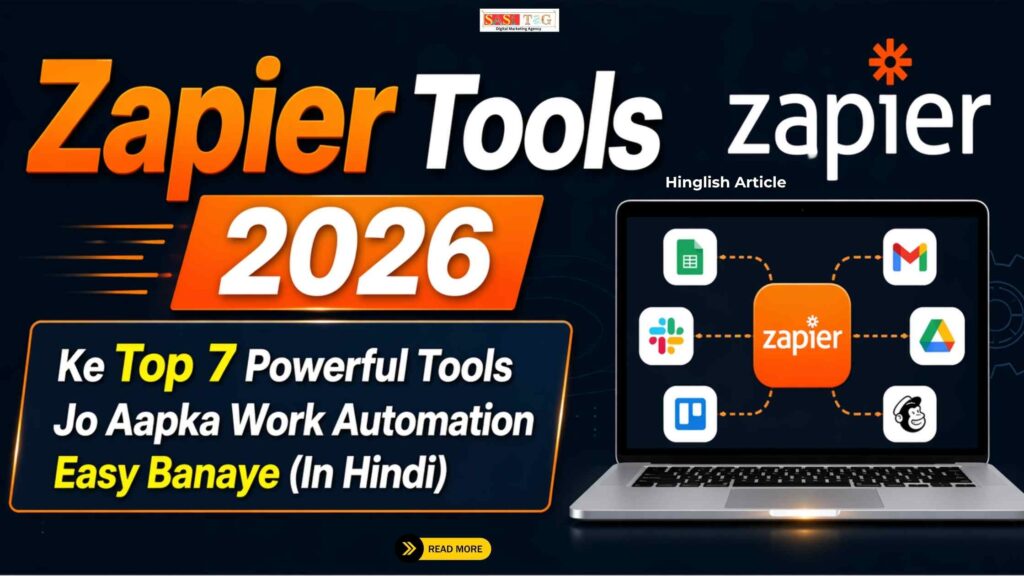
Zapier Tools 2026

 #Zapier Tools 2026 Ke Top 7 Powerful Tools Jo Aapka Work Automation Easy Banaye (In Hindi)

#Zapier Tools 2026 Ke Top 7 Powerful Tools Jo Aapka Work Automation Easy Banaye (In Hindi)

Zapier Tools 2026

 क्या आप रोज एक जैसे Tasks करके Time Waste कर रहे हैं जैसे Data Copy करना, Emails Send करना या Apps के बीच Information Transfer करना? अगर हाँ, तो अब Smart तरीके से काम करने का Time आ गया है, क्योंकि Zapier Tools आपके Work को Automatic बना सकते हैं!

Table of Contents

 आज के Digital Time में हर Business और Creator को Multiple Apps के साथ काम करना पड़ता है लेकिन इन Apps को Manually Connect करना Time-Consuming और Confusing होता है यही Problem Zapier Solve करता है, जो Different Tools को Connect करके Automation Create करता है!

 इस Blog को पढ़ने के बाद आप Zapier के Top 7 Powerful Tools के बारे में जानेंगे, जिनसे आप अपने Daily Tasks को Easy, Fast और Automatic बना सकते हैं वो भी बिना Coding के!

  • All
  • Admin Panel
  • for User
  • Gateway

#Zapier Kya Hai और कैसे काम करता है?

Zapier  एक Automation Platform है जो Different Apps को Connect करके आपके Daily Tasks को Automatic बना देता है यह “Zaps” के रूप में काम करता है, जिसमें एक Trigger और एक Action होता है जब Trigger होता है, तो Automatically Action Perform हो जाता है!

Example के लिए, अगर आपको Email मिलता है, तो उसका Data Google Sheet में Save हो सकता है Zapier Coding के बिना Automation Provide करता है, जिससे Beginners भी आसानी से Workflows बना सकते हैं और Time Save कर सकते हैं!

#Zapier Tools 2026Ke Top 7 Powerful Tools Jo Aapka Work Automation Easy Banaye

#1. Multi-Step Zaps

Multi-Step Zaps आपको एक ही Workflow में Multiple Actions Add करने की सुविधा देते हैं इससे Complex Automation आसानी से बनाया जा सकता है Example के लिए, Form Submit होने पर Email Send, Data Save और Notification Trigger हो सकता है यह Tool Businesses के लिए बहुत Useful है क्योंकि यह कई Tasks को एक साथ Handle करता है इससे Time बचता है और Work Process Efficient बनता है!

#2. Zapier Interfaces

Zapier Interfaces एक No-Code Tool है जिसकी मदद से आप Custom Apps और Dashboards बना सकते हैं यह Beginners के लिए बहुत Easy होता है क्योंकि इसमें Coding की जरूरत नहीं होती आप Client Portals, Forms और Internal Systems बना सकते हैं इससे आपका Workflow Organized होता है और Team Collaboration आसान हो जाता है यह Tool आपके Business Process को Professional बनाता है!

#3. Zapier Tables

Zapier Tables एक Smart Database Tool है जो Data को Store और Manage करने में मदद करता है इसमें आप Data को Organize कर सकते हैं और Automation के साथ Connect कर सकते हैं यह Traditional Spreadsheets से ज्यादा Advanced होता है Beginners के लिए यह Easy-to-Use है और Data Handling को Simple बनाता है इससे Work Process Smooth और व्यवस्थित रहता है!

#4. Zapier AI

Zapier AI एक Smart Feature है जो Natural Language का Use करके Automation Create करता है आपको सिर्फ लिखना होता है कि आप क्या करना चाहते हैं और AI खुद Workflow बना देता है यह Beginners के लिए बहुत Helpful है क्योंकि उन्हें Technical Knowledge की जरूरत नहीं होती इससे Automation Fast और Easy बनता है और Time Saving भी होता है!

#5. Webhooks by Zapier

Webhooks एक Advanced Tool है जो External Apps और Services को Connect करने में मदद करता है इससे Real-Time Data Transfer होता है और Custom Integrations बनाए जा सकते हैं यह Developers और Advanced Users के लिए Useful है Beginners भी इसे धीरे-धीरे सीख सकते हैं यह Tool आपके Automation को Powerful बनाता है और Complex Workflows को Possible करता है!

#6. Filter & Paths

Filter और Paths की मदद से आप Automation में Conditions Add कर सकते हैं इससे Workflow Smart बनता है और अलग-अलग Situations में Different Actions Perform करता है Example के लिए, High Value Orders के लिए अलग Action और Low Value Orders के लिए अलग Action सेट किया जा सकता है यह Feature आपके Automation को Intelligent और Flexible बनाता है!

#7. Scheduler by Zapier

Scheduler Tool की मदद से आप Tasks को Time के अनुसार Schedule कर सकते हैं इससे Daily, Weekly या Monthly Automation आसानी से किया जा सकता है Example के लिए, Daily Reports Send करना या Weekly Emails भेजना यह Tool Time Management में मदद करता है और Work को Organized बनाता है इससे Consistency Maintain करना आसान हो जाता है!

#Zapier Ka Use Kaise Kare Step-by-Step Guide

#Step 1: Account Create करे!
सबसे पहले Zapier Website पर जाकर Sign Up करें और अपना Account Create करें इससे आपको Dashboard Access मिलेगा जहां से आप Automation Create और Manage कर सकते हैं!

#Step 2: Apps Connect करे!

अब अपने Required Apps जैसे Gmail, Google Sheets या CRM को Connect करें यह Step जरूरी है ताकि Zapier इन Apps के बीच Data Transfer और Automation Perform कर सके!

#Step 3: Trigger Set करे!

Trigger Decide करें कि Automation कब Start होगा Example के लिए, New Email Receive होना या Form Submit होना Trigger हो सकता है जो Action को Activate करता है!

#Step 4: Action Add करे!

अब Action Define करें कि Trigger के बाद क्या होना चाहिए Example के लिए Data Save करना, Email Send करना या Notification भेजना!

#Step 5: Test Aur Activate करे!

Automation Setup करने के बाद उसे Test करें और Check करें कि सब सही काम कर रहा है या नहीं इसके बाद उसे Activate करें ताकि Workflow Automatically Run हो सके!

#Benefits of Using Zapier Tools

#Time Saving Automation:  Zapier repetitive Tasks को Automatic बना देता है जिससे आपका Time बचता है आप Manual Work से बचकर Important Tasks पर Focus कर सकते हैं और Productivity बढ़ा सकते हैं!

#No Coding Required: Zapier Use करने के लिए Coding Knowledge की जरूरत नहीं होती Beginners भी आसानी से Automation बना सकते हैं और Smart तरीके से काम कर सकते हैं!

#Easy App Integration: Zapier Different Apps को आसानी से Connect करता है जिससे Data Transfer Smooth हो जाता है इससे Work Process Fast और Efficient बनता है!

#Error Reduction: Manual Work में Errors होने के Chances ज्यादा होते हैं, लेकिन Zapier Automation से Errors कम होते हैं और Work Accurate बनता है!

#Increased Productivity: Automation की मदद से आप कम Time में ज्यादा काम कर सकते हैं, जिससे आपकी Productivity बढ़ती है और आप ज्यादा Results हासिल कर सकते हैं!

#Benefits for Beginners

#Easy to Learn: Zapier Beginners के लिए बहुत Easy Tool है इसका Interface Simple होता है और कोई भी आसानी से Automation सीख सकता है बिना Technical Knowledge के!

#Quick Setup  Zapier में Automation Setup करना बहुत Fast होता है आप कुछ ही Steps में अपना Workflow बना सकते हैं और तुरंत Use कर सकते हैं!

#Low Investment  Beginners के लिए Zapier Cost Effective है क्योंकि इसमें Free Plan भी Available होता है इससे आप बिना ज्यादा Investment के Automation Start कर सकते हैं!

#High Efficiency  Zapier Work Process को Efficient बनाता है जिससे Beginners कम Time में ज्यादा Output पा सकते हैं और अपनी Skills Improve कर सकते हैं!

#Scalability  जैसे-जैसे आपका Work बढ़ता है, आप Automation को Expand कर सकते हैं यह Beginners को Future Growth के लिए Ready बनाता है!

#Common Mistakes जो Avoidकरनी चाहिए!

#Without Planning Start करना!
Automation शुरू करने से पहले Planning जरूरी है बिना Plan के Workflow Confusing हो जाता है और सही Results नहीं मिलते!

#Wrong Trigger/Action Select करना!
अगर आप गलत Trigger या Action चुनते हैं, तो Automation सही काम नहीं करेगा इसलिए सही Setup करना जरूरी है!

#Testing Skip करना!
Automation Setup के बाद Testing जरूरी होती है इसे Skip करने से Errors पता नहीं चलते और Workflow गलत काम कर सकता है!

#Over Automation करना!
बहुत ज्यादा Automation करने से System Complex हो जाता है और Manage करना मुश्किल हो जाता है Simple रखना बेहतर होता है!

#Monitoring Ignore करना!
Automation के बाद Regular Monitoring जरूरी है ताकि आप Errors Fix कर सकें और Workflow को Improve कर सकें!

#Conclusion

Zapier Tools 2026 में Work Automation को Easy और Accessible बना चुके हैं चाहे आप Beginner हों या Professional, Zapier की मदद से आप अपने Daily Tasks को Automatic कर सकते हैं और अपना Time बचा सकते हैं!

Automation सिर्फ Time Saving नहीं है, बल्कि यह Smart Working का तरीका है अगर आप सही तरीके से Zapier Tools का Use करते हैं, तो आप अपने Work Process को पूरी तरह बदल सकते हैं और ज्यादा Efficient बन सकते हैं!

  • All Posts
  • Earning Tips
  • Panel Guide
Load More

End of Content.

Leave a Comment

Your email address will not be published. Required fields are marked *

Shopping Cart
Instagram
Phone
WhatsApp
WhatsApp
Phone
Instagram
Scroll to Top