CapCut Latest Features 2026

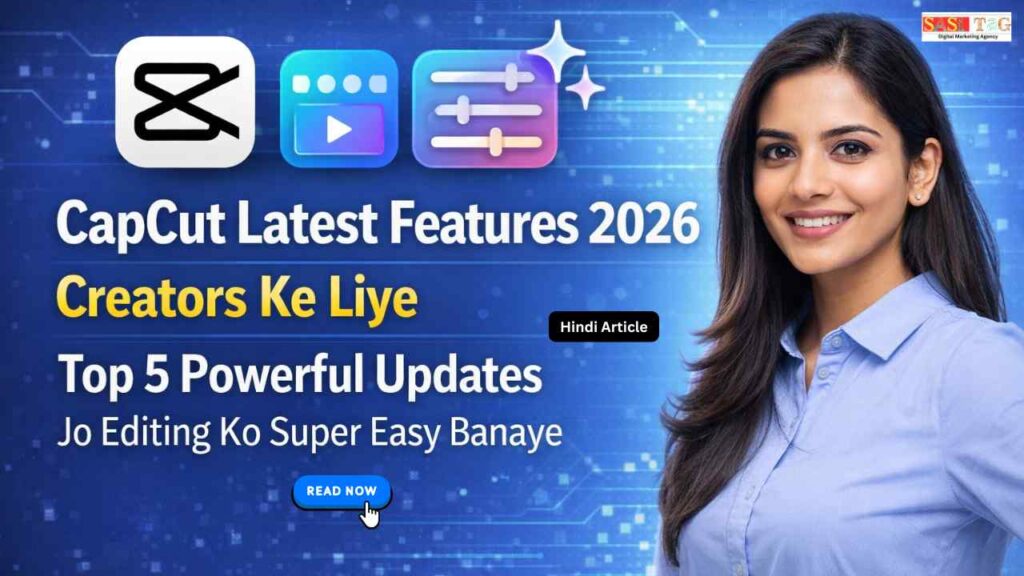
CapCut Latest Features 2026 Creators Ke Liye Top 5 Powerful Updates Jo Editing Ko Super Easy Banaye (In Hindi)

#CapCut Latest Features 2026 Creators Ke Liye Top 5 Powerful Updates Jo Editing Ko Super Easy Banaye (In Hindi)

CapCut Latest Features 2026

अगर आप Video Editing या Content Creation करते हैं, तो CapCut का Latest Update 2026 आपके लिए एक Game-Changer साबित हो सकता है आज हर Creator चाहता है कि उसकी Videos Professional दिखें, जल्दी Edit हों और Audience को Engage करें CapCut ने ऐसे Powerful Features Launch किए हैं जो Editing को पहले से कहीं ज्यादा आसान और Fast बना देता हैं!

Table of Contents

आज के Digital Time में Competition बहुत बढ़ गया है और हर कोई Viral Content बनाना चाहता है लेकिन बिना सही Tools के Quality Editing करना मुश्किल हो जाता है इसी Problem को Solve करने के लिए CapCut ने AI-Based Tools, Smart Editing Options और Automation Features Add किए हैं, जिससे Beginners भी बिना Experience के High-Quality Videos बना सकते हैं!

इस Blog को पढ़ने के बाद आपको CapCut के Latest Features की Clear Understanding मिल जाएगी और आप सीखेंगे कि इन Tools का सही इस्तेमाल कैसे करें इससे आपकी Editing Speed बढ़ेगी, Videos ज्यादा Attractive बनेंगी और आपका Content जल्दी Grow करेगा मतलब कम मेहनत में ज्यादा Result यही CapCut 2026 का सबसे बड़ा फायदा है!

  • All
  • Admin Panel
  • for User
  • Gateway

#CapCut Kya Hai और 2026 में ये इतना Popular क्यों है?

CapCut एक Free Video Editing App है जिसे खासतौर पर Content Creators के लिए Design किया गया है ये App Mobile और Desktop दोनों Platforms पर Available है और इसका Interface इतना Simple है कि Beginners भी आसानी से Professional Videos Edit कर सकते हैं इसमें आपको Basic Cutting से लेकर Advanced Effects, Transitions और AI-Based Tools तक सब कुछ मिलता है!

2026 में CapCut की Popularity का सबसे बड़ा Reason इसके Smart AI Features हैं, जो Editing Process को Fast और Easy बना देता हैं अब Creators को घंटों मेहनत करने की जरूरत नहीं होती कई काम Automatically हो जाते हैं, जैसे Auto Captions, Background Removal और AI Editing इसके अलावा, Trending Templates और Ready-Made Effects की वजह से Users जल्दी Viral Content भी बना पा रहे हैं!

एक और बड़ा कारण है कि CapCut बिल्कुल Free है और इसमें Premium जैसे Features भी बिना Extra Cost के मिल जाते हैं साथ ही, Social Media Platforms जैसे Instagram और YouTube के लिए Optimized Export Options इसे और भी Useful बनता हैं!

#CapCut Latest Features 2026 Creators Ke Liye Top 5 Powerful Updates Jo Editing Ko Super Easy Banaye

#1. AI Auto Editing

AI Auto Editing Feature CapCut का सबसे Smart Tool है जो आपकी Clips को Automatically Analyze करके एक Complete Video तैयार कर देता है आपको बस Clips Upload करना होता हैं और एक Template Select करना होता है, बाकी काम AI खुद कर देता है इससे Beginners को Editing सीखने की जरूरत नहीं पड़ती और वो आसानी से Professional Videos बना सकते हैं ये Feature खासतौर पर Time बचाने और Fast Content Creation के लिए बहुत Useful है!

#2. Smart Background Removal

Smart Background Removal Feature आपको बिना Green Screen के Background बदलने की सुविधा देता है CapCut AI की मदद से Subject को Detect करता है और Background को Automatically Remove कर देता है इसके बाद आप कोई भी New Background Add कर सकते हैं ये Feature Creators को Studio जैसा Professional Look देता है और Creative Freedom भी बढ़ाता है, जिससे Videos ज्यादा Attractive और Engaging बनता हैं!

#3. AI Voice Generator & Voice Cloning

AI Voice Generator Feature Text को Natural Voice में Convert करता है, जबकि Voice Cloning से आप अपनी Voice का Digital Version बना सकते हैं इससे आपको Voiceover Record करने की जरूरत नहीं पड़ता और आप आसानी से Professional Audio Add कर सकते हैं ये Feature Educational, Tutorial और Informational Videos के लिए बहुत Helpful है और Multiple Language Support के कारण Global Audience तक पहुंचने में भी मदद करता है!

#4. Auto Captions & Text Animation

Auto Captions Feature Video की Speech को Detect करके Automatically Subtitles Generate करता है इसके साथ ही CapCut Advanced Text Animations भी देता है, जिससे Captions और ज्यादा Attractive लगते हैं इससे Audience Retention बढ़ती है क्योंकि कई लोग बिना Sound के Videos देखते हैं ये Feature Content को Professional Look देता है और Engagement Improve करने में बहुत Effective साबित होता है!

#5. Multi-Layer Editing

Multi-Layer Editing Feature आपको एक ही Project में Multiple Elements Add करने की सुविधा देता है, जैसे Text, Effects, Stickers और Overlays ये Feature Advanced Video Editing Software जैसा Experience देता है, जिससे Creators को ज्यादा Control मिलता है आप Complex Videos आसानी से बना सकते हैं और अपनी Creativity को Fully Express कर सकते हैं ये Feature खासतौर पर Tutorials और Cinematic Content के लिए Perfect है!

#CapCut Features Ka Use Kaise Kare Beginners Ke Liye Step-by-Step Guide

#Step 1: App Install और Setup करे!

सबसे पहले CapCut App Download करें और Account Create करें App Open करने के बाद Interface को समझें और Basic Settings Configure करें Proper Setup करने से Editing Process आसान हो जाता है और आप बिना Confusion के Features का सही Use कर सकते हैं!

#Step 2: Video Import करे!

अब आप अपनी Gallery से Clips Select करके CapCut में Import करें ध्यान रखें कि Video की Quality अच्छी हो ताकि Final Output Professional दिखे सही Clips Select करना Editing का पहला Important Step होता है जो आपके Content की Overall Quality को Improve करता है!

#Step 3: Feature Select करे!

अब आप अपनी जरूरत के हिसाब से Features Select करें जैसे AI Tools, Filters, Effects या Manual Editing Options सही Feature Choose करने से आपका Video ज्यादा Attractive बनता है Beginners के लिए AI Features सबसे आसान और Time Saving Option होता हैं!

#Step 4: Effects और Music Add करे!

 Video को और Engaging बनाने के लिए Effects, Transitions और Music Add करें Trending Music Use करने से Video Viral होने के Chances बढ़ जाते हैं ध्यान रखें कि Effects का Overuse ना करें और Content के हिसाब से Balanced Editing करें!

#Step 5: Export और Share करे!

Editing Complete होने के बाद Video को High Quality में Export करें सही Resolution और Format Select करें ताकि Video Clear दिखे इसके बाद आप Video को Instagram, YouTube या किसी भी Platform पर Share कर सकते हैं और अपनी Audience तक पहुंचा सकते हैं!

#Benefits of Using CapCut 2026

CapCut 2026 Creators के लिए एक Powerful और Beginner-Friendly Editing Tool बन चुका है जो Editing Process को बहुत आसान और Fast बना देता है इसमें Available AI Features जैसे Auto Editing, Background Removal और Auto Captions आपके Time और Effort दोनों को बचाते हैं सबसे खास बात यह है कि यह App Free है!

लेकिन इसमें Professional Level के Tools मिलते हैं इसके जरिए आप High-Quality Videos बना सकते हैं जो Social Media Platforms पर आसानी से Grow करने में मदद करते हैं CapCut आपको Creative Freedom देता है जिससे आप अपनी Ideas को बिना किसी Limitation के Express कर सकते हैं चाहे आप Beginner हों या Intermediate Creator, यह Tool आपकी Skills को Next Level तक ले जाने में पूरी तरह Capable है!

#Common Mistakes जो Avoid करनी चाहिए!

बहुत से Beginners CapCut Use करते समय कुछ Common Mistakes कर देते हैं जो उनके Content की Quality को खराब कर देता हैं सबसे पहली गलती होती है Over Editing, जिसमें बहुत ज्यादा Effects और Transitions Use कर दिए जाते हैं जिससे Video Professional की जगह Messy लगती है!

 दूसरी बड़ी गलती है Low Quality Clips Use करना, जिससे Final Output खराब हो जाता है कई लोग Consistency Maintain नहीं करते और Regular Content Upload नहीं करते, जिससे Growth रुक जाती है इसके अलावा Trends को Ignore करना और Audience Engagement पर ध्यान ना देना भी एक बड़ी गलती है आपको हमेशा Simple, Clean और Purposeful Editing करनी चाहिए ताकि आपका Content ज्यादा Effective और Attractive बने!

#Conclusion

अगर आप 2026 में Content Creation में Grow करना चाहते हैं, तो CapCut आपके लिए एक ऐसा Tool है जो आपकी पूरी Journey को आसान बना सकता है इसके Latest Features जैसे AI Editing, Smart Tools और Ready-Made Templates आपको कम मेहनत में ज्यादा Professional Results देने में मदद करते हैं लेकिन सिर्फ Tool Use करना ही काफी नहीं है, आपको Consistency, Creativity और सही Strategy पर भी काम करना होगा याद रखें कि हर Successful Creator ने शुरुआत Zero से की होता है! 

इसलिए शुरुआत करने से डरें नहीं आज ही CapCut Open करें, छोटे-छोटे Videos बनाना शुरू करें और धीरे-धीरे अपनी Skills Improve करें अगर आप Regular Practice करते रहेंगे और इन Features का सही Use करेंगे, तो आप भी एक Successful Creator बन सकते हैं और Online Platform पर अपनी पहचान बना सकते हैं!

  • All Posts
  • Earning Tips
  • Panel Guide
Load More

End of Content.

Leave a Comment

Your email address will not be published. Required fields are marked *

Shopping Cart
Instagram
Phone
WhatsApp
WhatsApp
Phone
Instagram
Scroll to Top