Canva Flyer Design

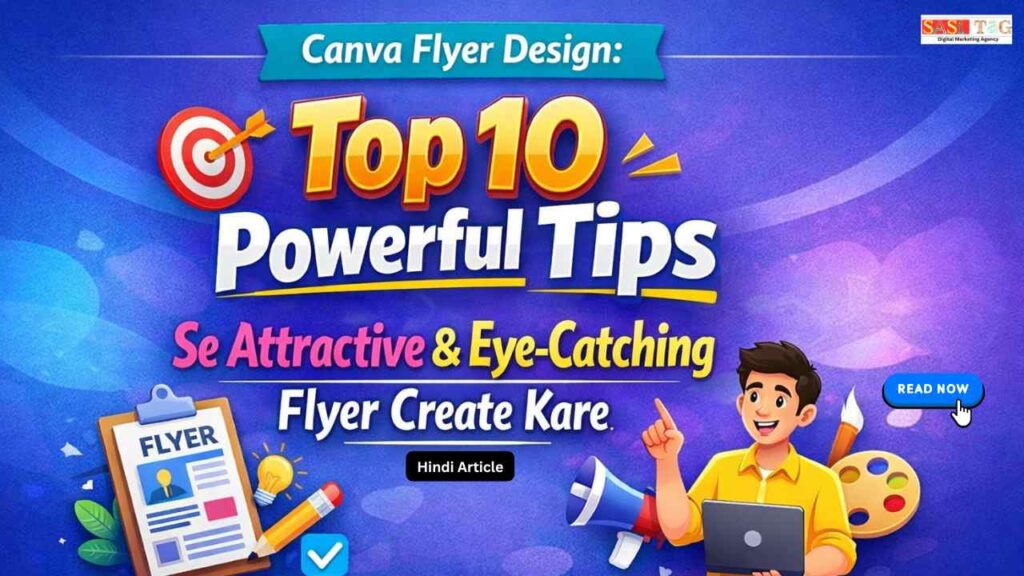
Canva Flyer Design: Top 10 Powerful Tips Se Attractive & Eye-Catching Flyer Create Kare (In Hindi)

#Canva Flyer Design: Top 10 Powerful Tips Se Attractive & Eye-Catching Flyer Create Kare (In Hindi)

Canva Flyer Design

क्या आपने कभी Notice किया है कि कुछ Flyers देखते ही Attention Grab कर लेते हैं, जबकि कुछ को लोग एक Second भी नहीं देते? अगर आपका Flyer Eye-Catching नहीं है, तो आपका Message Audience तक पहुँचने से पहले ही Ignore हो सकता है!

Table of Contents

Problem यह नहीं है कि आपके पास Offer या Information Strong नहीं है असली Reason यह है कि Flyer Design Properly Structured और Visually Attractive नहीं होता Beginners अक्सर Overcrowded Layout, Random Colors और Weak Headline की गलती करते हैं!

Good News यह है कि Canva Flyer Design की मदद से आप बिना Professional Design Skill के Stunning, Clean और High-Impact Flyer Create कर सकते हैं। इस Guide में हम Top 10 Powerful Tips Learn करेंगे, जिनसे आपका Flyer Truly Eye-Catching बनेगा!

  • All
  • Admin Panel
  • for User
  • Gateway

#Canva Flyer Design क्या है?

Canva Flyer Design एक Easy Online Design Process है, जिसकी मदद से आप Professional और Attractive Flyer Create कर सकते हैं  बिना किसी Advanced Design Skill के Canva में Ready-Made Templates, Drag And Drop Tools, Fonts, Images और Graphics पहले से Available होता हैं!

आप सिर्फ Template Select करते हैं, Text Replace करते हैं, Colors Customize करते हैं और High-Quality Format में Download कर लेते हैं यह Tool Small Business Promotion, Event Marketing और Social Media Advertising के लिए बहुत Useful है!

#Canva Flyer कैसे बनाएं (In Steps)

#Step 1: Open Canva And Select Flyer Template

सबसे पहले Canva Website या App Open करें और Search Bar में “Flyer” Type करें Different Categories के Templates दिखाई देंगे अपने Business या Event के अनुसार Relevant Template Select करें ताकि Design Process Easy और Fast हो जाए!

#Step 2: Customize Text And Headline

अब Template में दिए गए Default Text को Remove करके अपना Headline, Offer, Date और Contact Details Add करें Headline Bold और Clear रखें ताकि Audience तुरंत Main Message समझ सके!

#Step 3: Adjust Colors And Fonts

Flyer में Brand Colors Use करें और Maximum Two Fonts Select करें Background और Text Color का Contrast Strong रखें ताकि Text Easily Read हो सके और Design Professional लगे!

#Step 4: Add High-Quality Images And Icons

Canva Library से HD Images, Icons या Illustrations Add करें Blurry या Low-Quality Photos Avoid करें Relevant Visuals Flyer को Eye-Catching और More Engaging बनाता हैं!

#Step 5: Preview And Download In High Quality

Download करने से पहले Flyer को Preview Mode में Check करें Spelling, Alignment और Design Balance Verify करें Final File को PDF Print Format या High-Quality PNG में Download करें ताकि Best Result मिले!

#Canva FlyerTop 10 Powerful Tips To Create Attractive & Eye-Catching Flye

#1. Strong Headline बनाएं!

Flyer का सबसे Important Part Headline होता है यह Short, Clear और Attention-Grabbing होना चाहिए 4–6 Words में Main Offer Explain करें Bold Font और Large Size Use करें ताकि Audience पहली नज़र में Message समझ सके Weak Headline होने पर पूरा Flyer Ignore हो सकता है!

#2. Simple Design रखें!

Overcrowded Flyer Confusing लगता है Too Much Text और Extra Graphics Avoid करें White Space Proper Use करें ताकि Design Clean और Professional दिखे Simple Layout Audience को Comfortable Feel देता है और Message Clearly Deliver करता है!

#3. High-Contrast Colors Use करे!

Background और Text Color में Strong Contrast होना चाहिए Light Background पर Dark Text या Dark Background पर Light Text Use करें Low Contrast Readability कम कर देता है Proper Color Combination Flyer को Attractive और Easy-To-Read बनाता है!

#4. High-Quality Images Add करे!

Blurry या Low-Resolution Image Professional Impression खराब कर देता है Canva Library से HD Images या Relevant Graphics Use करें Clear Visuals Attention Quickly Grab करते हैं और Flyer को More Engaging बनाता हैं!

#5. Main Offer Highlight करें!

Discount, Date या Special Offer को Bold या Different Color में Highlight करें Box या Shape Use करके Important Information Emphasize करें Audience को तुरंत समझ आना चाहिए कि Benefit क्या है!

#6. Clear Call To Action लिखें!

CTA Audience को Next Step Guide करता है Call Now, Visit Today या Register Now जैसे Action Words Use करें CTA Visible और Direct होना चाहिए ताकि Reader Action लेने के लिए Encourage हो!

#7. Proper Alignment बनाए रखें!

Text और Images Properly Align करें Canva Guides और Grid Option Use करें Misaligned Elements Flyer को Unprofessional बना देता हैं Balanced Layout Trust Build करता है और Design More Polished दिखता है!

#8. Limited Fonts इस्तेमाल करें!

Too Many Fonts Design को Messy बना देते हैं Maximum Two Fonts Use करें One Bold For Headline और One Simple For Details Consistent Font Style Flyer को Clean और Professional Look देता है!

#9. Visual Hierarchy Follow करें!

Flyer में Information Order Important है पहले Headline, फिर Offer, फिर Details Show होना चाहिए Font Size और Spacing से Eye Movement Guide करें Structured Design Audience को Message Easily Understand करने में मदद करता है!

#10. Final Review जरूर करें!

Download करने से पहले Spelling, Contact Details और Alignment Check करें Preview Mode में Zoom करके Verify करें Small Mistakes Professional Image को Damage कर सकता हैं, इसलिए Final Check Always Important है!

#Common Mistakes जो Beginners को Avoid करना चाहिए!

बहुत ज्यादा Text Flyer को Paragraph से भर देना गलत है। Short और Clear Information रखें! Low-Quality Images Blurry Photos Professional Look खराब करता हैं! 

गलत Color Combination Low Contrast Text Read करना मुश्किल बनाता है!No Clear CTA Clear Call To Action न होना Audience को Next Step समझ नहीं आता! बहुत ज्यादा Fonts Design Messy और Unprofessional दिखता है!

#Benefits Of Using Canva For Flyer Design

#1. Easy To Use Interface

Canva Beginner-Friendly Platform है Drag And Drop Feature की मदद से कोई भी बिना Graphic Design Experience के Attractive Flyer Create कर सकते है!

#2. Ready-Made Templates

Hundreds of Professional Templates Available हैं। आप सिर्फ Template Select करें और Text Customize करें Time और Effort दोनों Save होते हैं!

#3. Cost-Effective Solution

Professional Designer Hire करने की जरूरत नहीं Canva Free Version में भी Powerful Tools मिलते हैं, जिससे Budget-Friendly Design Possible है!

#4. High-Quality Output

Flyer को PDF Print, PNG या JPG Format में High Resolution में Download किया जा सकता है Print और Digital दोनों के लिए Perfect है!

#5. Easy Customization

Colors, Fonts, Images और Layout आसानी सेChange किए जा सकते हैं Brand Identity Maintain करना Simple हो जाता है!

#6. Time Saving Tool

Few Minutes में Professional Flyer तैयार किया जा सकता है। Quick Marketing Campaign के लिए Canva Ideal Option है!

#Conclusion

अगर आप Attractive और Professional Flyer Create करना चाहते हैं, तो Canva Flyer Design आपके लिए एक Powerful और Easy Solution है Simple Tools, Ready Templates और High-Quality Output की मदद से आप बिना Technical Skill के भी Eye-Catching Design बना सकते हैं बस Clean Layout, Strong Headline और Clear CTA पर Focus करें!

  • All Posts
  • Earning Tips
  • Panel Guide
Load More

End of Content.

Leave a Comment

Your email address will not be published. Required fields are marked *

Shopping Cart
Instagram
Phone
WhatsApp
WhatsApp
Phone
Instagram
Scroll to Top