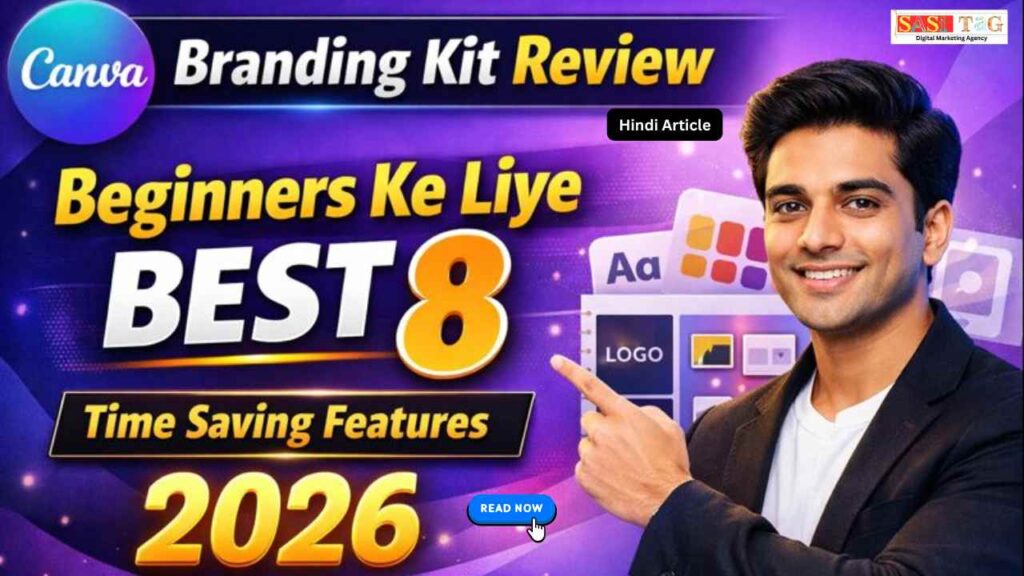
#Canva Branding Kit Review: Beginners Ke Liye Best 8 Time Saving Features (In Hindi)
क्या आपने कभी Notice किया है कि बड़े Brands की Design हर जगह Same Look & Feel में होता है चाहे Instagram Post हो, Website Banner हो या Presentation Slide? यही Consistency Brand को Professional बनाता है, और यही चीज़ Beginners के लिए सबसे मुश्किल होता है!
Table of Contents
Toggleजब आप अलग-अलग Colors, Fonts और Logos बार-बार Manually Set करते हैं, तो Time भी Waste होता है और Branding भी Weak दिखता है यहीं पर Canva Branding Kit एक Game Changer बनकर सामने आता है!
इस Blog में आप जानेंगे Canva Branding Kit क्या है, यह Beginners के लिए क्यों Best है, और इसके 8 Powerful Time Saving Features जो 2026 में आपकी Branding को Fast, Easy और Professional बना सकते हैं बिना किसी Design Degree के मदद से!
#Canva Branding Kit Kya Hai?
अपने Brand के Colors, Fonts, Logo और Visual Style को एक ही जगह Save और Manage करने की सुविधा देता है इसका मतलब ये हुआ कि हर बार Design बनाते समय आपको बार-बार वही चीज़ Set नहीं करना पड़ेगा!
बसएक Click में आपकी पूरा Branding Apply हो जाता है Beginners, Freelancers, Content Creators और Small Business Owners के लिए यह Feature खास तौर पर बनाया गया है!
- All
- Admin Panel
- for User
- Gateway


#Canva Branding Kit Beginners Ke Liye Kyun Important Hai?
Canva Branding Kit Beginners के लिए इसलिए Important है क्योंकि यह Branding को Simple और Organized बना देता है Beginners अक्सर Colors, Fonts और Logo में Consistency नहीं रख पाते, जिससे Design Unprofessional लगता है!
Branding Kit एक ही जगह Brand Elements Save करके हर Design में Automatically Apply कर देता है इससे Time Save होता है, Confusion कम होता है और बिना Advanced Design Skills के भी Brand Professional और Trustworthy दिखता है!
#Canva Branding Kit Kaise Kare Setup Kare?
Canva Branding Kit Setup करना बहुत आसान है सबसे पहले Canva Account में Login करें और Dashboard से Brand या Branding Kit Option पर जाएँ अब अपना Logo Upload करें, Brand के Colors Add करें और अपनी पसंद के Fonts Select करें!
अगर आपके पास Canva Pro है, तो Custom Fonts भी Upload कर सकते हैं सभी Details Save करते ही आपका Branding Kit Ready हो जाता है और हर Design में Automatically Apply होने लगता है!
#Canva Branding Kit Review: Best 8 Time Saving Features of Canva Branding Kit
#Feature 1: One-Click Brand Colors Apply करे!
Canva Branding Kit का यह Feature Beginners के लिए सबसे ज्यादा Time Saving है इसमें आप अपने Brand Colors को एक बार में Save कर सकते हैं और फिर किसी भी Design में सिर्फ One Click में वही Colors Automatically Apply हो जाते हैं!
इससे बार-बार Color Codes याद रखने या Manually Set करने की जरूरत नहीं पड़ती हर Design में Same Color Combination रहने से Branding Strong होता है और आपका Content Professional और Consistent दिखता है!
#Feature 2: Brand Fonts का Central Control
Canva Branding Kit का यह Feature आपको अपने Brand के Fonts को एक ही जगह Save और Control करने की सुविधा देता है Beginners अक्सर हर Design में अलग-अलग Font Use कर लेते हैं!
जिससे Branding Weak लगता है Brand Fonts Set करने के बाद वही Fonts हर Design में Automatically Available रहता हैं इससे Fonts Search करने का Time Save होता है, Consistency बनी रहती है और आपका Content Professional व Trustworthy दिखाई देता है!
#Feature 3: Logo Management (Primary, Secondary & Icon)
Canva Branding Kit का यह Feature आपको अपने Brand के Multiple Logos एक ही जगह Save और Manage करने की सुविधा देता है आप Primary Logo, Secondary Logo और Icon Version को अलग-अलग Upload कर सकते हैं Beginners के लिए यह बहुत Helpful है!
क्योंकि हर Design में सही Size और सही Logo Use हो जाता है इससे बार-बार Logo Search करने का झंझट खत्म होता है और Branding ज्यादा Clean व Professional दिखाई देता है!
#Feature 4: Brand Templates Integration
Canva Branding Kit का यह Feature आपके Brand को Templates के साथ Automatically Integrate कर देता है इसका मतलब यह है कि जब भी आप कोई नया Design बनाते हैं, तो उसमें पहले से आपका Brand Colors, Fonts और Logo Apply रहता हैं!
Beginners के लिए यह Feature बहुत Helpful है क्योंकि उन्हें हर बार Design Zero से Start नहीं करना पड़ता इससे Design Creation Fast होता है, Time Save होता है और हर Content Professional Look के साथ Ready मिलता है!
#Feature 5: Team Consistency
Canva Branding Kit का यह Feature Team के साथ काम करने वाले Beginners के लिए बहुत Important है इसमें सभी Team Members को वही Brand Colors, Fonts और Logos Use करने की Permission मिलती है जो पहले से Set होता हैं!
इससे कोई भी Member गलती से गलत Font या Color Use नहीं कर पाता Result यह होता है कि हर Design में Same Brand Consistency बनी रहती है और Team का काम Fast, Smooth और Professional तरीके से होता है!
#Feature 6: Faster Social Media Content Creation
Canva Branding Kit का यह Feature Social Media पर Regular Content बनाने वालों के लिए बहुत Useful है जब Brand Colors, Fonts और Logo पहले से Set होता हैं, तो Instagram Posts, Stories, Reels Covers, YouTube Thumbnails और LinkedIn Creatives बहुत तेजी से बन जाता हैं!
Beginners को बार-बार Design Elements सोचने की जरूरत नहीं पड़ती, जिससे उनका पूरा Focus Content पर रहता है Result यह होता है कि कम Time में ज्यादा Professional और Consistent Social Media Content Create हो पाता है!
#Feature 7: Professional Look Without Designer Skills
Canva Branding Kit का यह Feature Beginners के लिए बहुत Helpful है क्योंकि इसमें Professional Design बनाने के लिए Advanced Design Skills की जरूरत नहीं होता Brand Colors, Fonts और Logos पहले से Set होने के कारण हर Design Automatically Balanced और Clean दिखता है!
Beginners बिना ज्यादा सोच-विचार के High-Quality Graphics बना पाते हैं इससे उनका Content ज्यादा Trustworthy लगता है और Brand एक Professional Level पर दिखाई देता है!
#Feature 8: Long-Term Brand Growth Support
Canva Branding Kit का यह Feature Beginners को Short-Term Design से आगे सोचने में मदद करता है जब आप लंबे समय तक Same Colors, Fonts और Logo के साथ Content बनाते हैं, तो Audience धीरे-धीरे आपके Brand को पहचानने लगते है!
यह Visual पहचान Trust Build करता है और Brand Value बढ़ाते है Beginners के लिए यह Feature बहुत Important है क्योंकि यह उन्हें Random Creator से एक Strong, Recognizable और Long-Term Brand बनाने में Help करता है!
#Free vs Pro Branding Kit Ke Liye Kaun Hai Best
Canva का Free Branding Kit Beginners के लिए Basic Level पर ठीक है, जहाँ आप Limited Colors और Default Fonts के साथ Simple Designs बना सकते हैं, लेकिन इसमें Full Brand Control नहीं मिलता वहीं Canva Pro Branding Kit Serious Creators और Businesses के लिए Best है!
क्योंकि इसमें Unlimited Brand Colors, Custom Fonts Upload, Multiple Logos और Team Control जैसे Advanced Features मिलता हैं! Pro Version से Branding ज्यादा Professional, Consistent और Time Saving हो जाता है, जो Long-Term Growth के लिए बहुत जरूरी है!
#Free vs Pro Branding Kit के लिये कौन है Best
2026 में Competition हर Industry में और बढ़ जाएगा और Audience अब सिर्फ Content नहीं बल्कि Professional और Consistent Branding को भी देखकर Brands को Follow करेगा यह Beginners और Small Businesses के लिए यह और भी Important है क्योंकि Manual Design करने से Time Waste होता है और Branding Weak लगता है!
Canva Branding Kit की मदद से आप Same Colors, Fonts और Logo हर Content में Use कर सकते हैं, जिससे Brand Recognizable और Trustworthy बनता है Long-Term में यह Tool आपके Strong Brand Identity बनाने और Audience को Visual से Connect करने में मदद करता है!
#Conclusion
Canva Branding Kit Beginners और Small Businesses के लिए एक Complete Branding Solution है यह Time Save करता है, Design Consistency लाता है और हर Content को Professional Look देता है इसके 8 Powerful Features For Example: One-Click Colors, Brand Fonts, Logo Management और Templates Integration Content Creation को Fast और Stress-Free बनाता हैं!
2026 में Strong Branding के लिए Canva Branding Kit एक Must-Have Tool है, जो Beginners को Random Creator से Recognizable और Trusted Brand बनाने में मदद करता है!
- All Posts
- Earning Tips
- Panel Guide
#Canva Flyer Design: Top 10 Powerful Tips Se Attractive & Eye-Catching Flyer Create Kare (In Hindi) क्या आपने कभी Notice...

Google Veo 3 Vs ChatGPT Plus Comparison Content Creators के लिए 6 Best AI Tool? (Complete Guide 2026) अगर आप...

#Canva Presentation Kaise Banaye: Best 10 Powerful Tips से Stunning Presentation Create करें क्या आपने कभी Presentation बनाते समय सोचा...

#Canva Instagram Post Design For Beginners Simple Hacks To Grow Your Brand (In Hindi) क्या आपने कभी Instagram पर Scroll...

#Canva Whiteboard Review: Top 8 Amazing Benefits जो Team Collaboration को Next Level ले जाएं! (In Hindi) आज के Digital...

#Canva Docs To Design: Top 8 Pro Tips Jo Aapke Documents Ke Designs Ko Banaye Impressive (In Hindi) क्या आपने...

#CapCut vs Filmora 15: कौन है Best Top 8 Reasons For YouTuber (In 2026) आज के Time में हर YouTuber...

#Canva PDF Editor: Beginners के लिए Top 5 Powerful Features जो PDF Editing को बनाये Super Easy (In Hindi) क्या...

#Canva Affiliate Commission: Beginners के लिए Best 7 Smart Earning Methods (In Hindi) आज के Digital Time में हर कोई...