CapCut Music Library

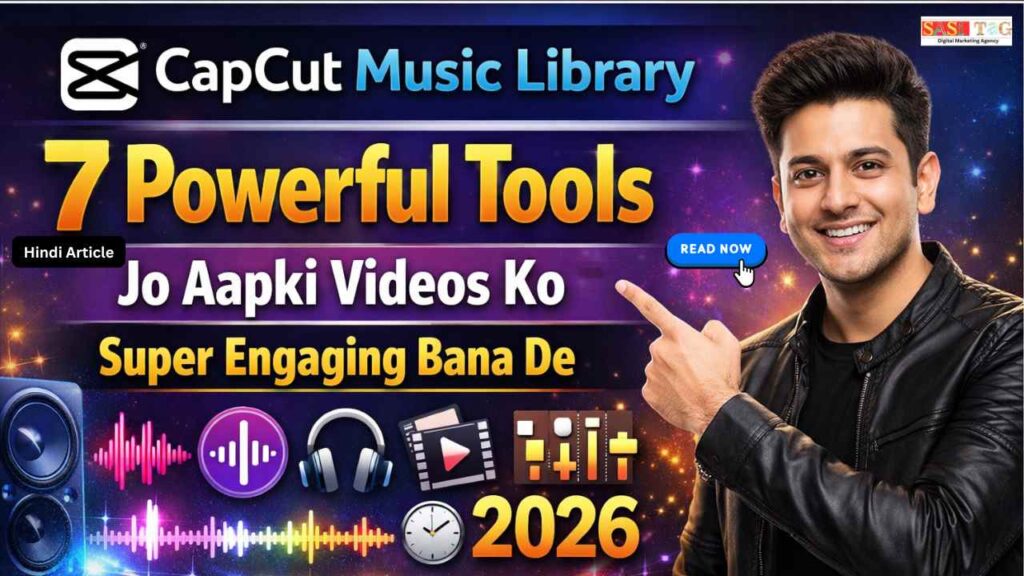
CapCut Music Library: 7 Powerful Tools Jo Aapki Videos Ko Super Engaging Bana De (In 2026)

#CapCut Music Library: 7 Powerful Tools Jo Aapki Videos Ko Super Engaging Bana De (In 2026)

CapCut Music Library

क्या आपने कभी Notice किया है कि कुछ Videos देखते ही दिल को Touch कर जाती हैं, जबकि कुछ Videos कितनी भी अच्छी Editing के बाद भी Impact नहीं बना पातीं? इसका सबसे बड़ा Reason अक्सर Visual नहीं, बल्कि Music होता है!

Table of Contents

आज के Digital Content World में Sirf Good Editing काफी नहीं है Audience Emotions को Trigger करने के लिए सही Background Music, Sound Effects और Audio Balance बहुत जरूरी है यहीं पर CapCut Music Library Creators के लिए Game Changer बनता है!

अगर आप CapCut Music Library के Powerful Tools को सही तरीके से Use करना सीख जाएं, तो आपकी Videos ज्यादा Engaging, Professional और Viral Potential वाली बन सकती हैं इस Blog में हम 7 Powerful Tools को Step-By-Step समझेंगे जो आपकी Videos को Super Engaging बना सकते हैं!

#CapCut Music Library Kya Hai?

CapCut Music Library एक Built-In Audio Collection है जो Users को Royalty-Free Music, Trending Sounds और Sound Effects Provide करता है इसका Main Purpose Video Editing को Easy और Professional बनाता है!

आप Directly App के अंदर Different Mood, Genre और Category का Music Search करके Use कर सकते हैं इससे Copyright Issue का Risk कम होता है और Beginners भी बिना Extra Software के अपनी Videos को Engaging और Attractive बना सकते हैं!

CapCut

CapCut se Professional Editing Start Karna Chahte Ho?
Ab wait mat karo! Aaj hi expert guidance lo aur apni videos ko next level par le jao.

👉 📲 WhatsApp Now: 8757554176
Instant Reply & Limited Support Slots Available!

  • All
  • Admin Panel
  • for User
  • Gateway

#CapCut Music Library: 7 Powerful Tools Jo Aapki Videos Ko Super Engaging Bana De

#1. Royalty-Free Music Collection

Royalty-Free Music Collection आपकी Videos को Professional Feel देता है आप Different Mood और Genre के Music को Directly CapCut Music Library से Select कर सकते हैं इससे Copyright Risk कम होता है और Content Safe रहता है सही Background Music Audience Engagement को Naturally Increase करता है!

#2. Trending Sounds Integration

Trending Sounds Integration Feature आपकी Videos को Social Media Friendly बनाता है Reels और Shorts के लिए Popular Audio Use करने से Reach और Visibility बढ़ता है CapCut Regularly Updated Trending Library Provide करता है, जिससे Creators Easily Viral Potential वाला Content Create कर सकते हैं!

#3. Smart Audio Search Option

Smart Audio Search Option से आप Mood, Keyword या Genre के अनुसार Music Quickly Find कर सकते हैं Manual Scrolling की जरूरत नहीं पड़ती और Time Save होता है Beginners के लिए यह Feature बहुत Helpful है क्योंकि सही Music Selection Editing Process को Easy बना देता है!

#4. Sound Effects Library

Sound Effects Library आपकी Videos में Extra Impact Add करता है Whoosh, Click, Boom जैसे Effects Transitions और Text Animation को Professional Look देता हैं Small Audio Details Viewer Experience को Improve करता हैं और Video ज्यादा Dynamic तथा Engaging बनता है!

#5. Beat Sync Feature

Beat Sync Feature Music के Beat के साथ Video Clips Automatically Match करता है इससे Editing Smooth और Satisfying लगता है Travel, Dance और Cinematic Videos के लिए यह Tool बहुत Powerful है Beat Based Editing Viewer Retention को Significantly Improve करता है!

#6. Volume Control And Audio Mixing

Volume Control And Audio Mixing Tool Professional Audio Balance Maintain करने में मदद करता है आप Background Music, Voice Over और Sound Effects का Volume Adjust कर सकते हैं Proper Mixing से Voice Clear रहता है और Video Quality Overall Improve होता है!

#7. Extract Audio And Voice Enhancement

Extract Audio And Voice Enhancement Tool से आप किसी भी Video से Audio Separate कर सकते हैं Voice Enhancement Background Noise Reduce करके Speech को Clear बनाता है यह Feature Tutorials, Podcast Style Content और Informational Videos के लिए बहुत Useful है!

#Beginner के लिए CapCut Music Library का Smart Use

  1. पहले Video Edit Complete करें, फिर Mood Decide करके Suitable Music Select करें ताकि Content Professional और Engaging लगे!
  2. Beat Sync Use करें और Clips को Music Beat के According Adjust करें ताकि Video Smooth और Dynamic दिखे!
  3. Volume Control और Audio Mixing Proper रखें, फिर Final Preview करके High Quality में Export करें!

#Beginners के लिए CapCut Music Library क्यूँ Best है?

CapCut Music Library Beginners के लिए Best है क्योंकि इसका Interface Simple और Easy To Use होता है Royalty-Free Music Directly App के अंदर Available रहता है, जिससे Copyright Issue का Risk कम होता है!

Smart Search, Beat Sync और Volume Control जैसे Features Editing को Smooth बनाता हैं Beginners बिना Extra Software के Professional और Engaging Videos Create कर सकते हैं!

#Common Mistakes जो Beginners को Avoid करनी चाहिए!

#1. Music Volume बहुत High रखना!

कई Beginners Background Music का Volume बहुत High रख देते हैं, जिससे Voice Over Clear नहीं सुनाई देता Professional Video के लिए Audio Balance बहुत जरूरी है हमेशा Volume Control Use करें और Voice को Clear रखने के लिए Background Music Low रखें!

#2. हर जगह Sound Effects Add कर देना!

जरूरत से ज्यादा Sound Effects Use करने से Video Over Edited लगती है Every Transition पर Effect लगाने से Viewer Distract हो सकता है Smart Editing का मतलब Limited और Purposeful Sound Effects Use करना है!

#3. Mood के Against Music Select करना!

Emotional Video में High Energy Music या Motivational Video में Sad Track Use करना Content Impact खराब कर सकता है हमेशा Video का Mood Analyze करें और उसी के According Background Music Choose करें!

#4. Beat Sync को Ignore करना!

Music Add करने के बाद Beat Sync Use न करना Editing को Flat बना सकता है Jab Clips Music Beat से Match नहीं करते, तो Video Smooth Feel नहीं देता Beat Based Editing Viewer. Engagement Improve करता है!

#5. Copyrighted Music Use करना!

External Source से Random Music Download करके Use करना Copyright Strike का Risk बढ़ा सकता है Always CapCut Music Library का Royalty-Free Music Use करें ताकि Content Safe और Platform Friendly रहे!

#6. Audio Mixing को Serious न लेना!

Voice Over, Background Music और Sound Effects का Proper Mixing न करना Video Quality को Down कर देता है Fade In, Fade Out और Volume Adjustment Tools का Proper Use Professional Result देता है!

#7. Final Preview Skip कर देना!

Direct Export करने से पहले Full Preview न देखना एक Common Mistake है Preview से Audio Balance, Timing aur Overall Flow Check किया जा सकता है Always Final Review करके ही High Quality Format में Export करें!

#Conclusion

CapCut Music Library आपकी Video Editing Journey को आसान और Professional बना सकता है, अगर आप इसके Tools का Smart Use करें और सही Background Music, Proper Volume Control और Balanced Sound Effects करे तो आपकी Videos को ज्यादा Engaging बनाते हैं!

Common Mistakes Avoid करके और Beat Sync जैसे Features Use करके आप Beginner होते हुए भी High Quality Content Create कर सकते हैं अब Time है Practice करने का और अपनी Videos को Next Level तक ले जाने का!

  • All Posts
  • Earning Tips
  • Panel Guide
Load More

End of Content.

Leave a Comment

Your email address will not be published. Required fields are marked *

Shopping Cart
Instagram
Phone
WhatsApp
WhatsApp
Phone
Instagram
Scroll to Top